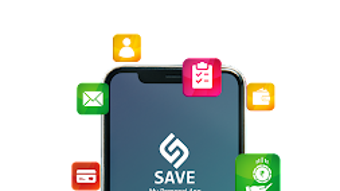

Download Save App – All-in-one Personal Management App, Finance, Budgeting, Task Management, Digital Wallet, Expense Tracker
Overview
Save App – My Personal App is a desktop-compatible software designed to serve as a centralized platform for personal management. Developed by Century Gate Software Solutions Pvt Ltd, the application aims to address the growing need for integrated tools that help individuals manage their finances, daily commitments, and personal assets efficiently. It is positioned within the Business & Productivity category, specifically targeting the Finance subcategory.
The software is designed for users seeking a streamlined approach to financial planning, task organization, and asset tracking. Its core purpose is to promote accountability by enabling users to record every expense and receipt, thereby fostering better control over spending habits. Real-world usage scenarios include budgeting for monthly household expenses, tracking investment returns, managing insurance renewals, and maintaining a digital diary for personal reflections.
The app supports users in building a structured financial routine through tools like budget setting, expense categorization, and visual income-expenditure reports. While the developer has not provided extensive background on the company’s history or prior products, the software’s comprehensive feature set suggests a focus on user-centric design and practical utility. The release date of March 20, 2024, indicates it is a relatively new entrant in the personal management space, designed to meet modern digital lifestyle demands.
Key Features & Capabilities
- My Money Module – Enables users to manage personal expenses, track income sources via receipts, handle business billing and accounting, set monthly and yearly budgets, and utilize a built-in wallet feature to improve saving habits.
- My Belongings Section – Allows users to organize assets and holdings, monitor insurance premiums, track investment performance, manage passwords securely, and digitize important documents for easy access.
- My Life Tracker – Offers tools to schedule and monitor daily tasks, record thoughts and life experiences in a digital diary, and maintain a visual record of personal goals and aspirations.
- Utility Tools – Includes features such as digital visiting cards for contact sharing, a link storage system for saving important web pages, and an emergency contact database for quick access during critical situations.
- Financial Visualization – Provides graphical representations of income and expenditure statements, aiding users in analyzing spending patterns and making informed financial decisions.
These features are designed to work in tandem, creating a cohesive experience that supports long-term financial stability. For example, a user can log a receipt under the “My Money” section, link it to a specific investment in “My Belongings,” and later reflect on the decision in their “My Life” diary. The software’s emphasis on accountability through detailed record-keeping encourages disciplined financial behavior. The integration of digital wallets and password management enhances security and convenience. While specific technical capabilities such as cloud sync or multi-device access were not detailed, the software appears to prioritize offline usability and local data storage for privacy-conscious users.
User Interface, Workflow & Performance
The user interface of Save App is structured around three primary navigation pillars: My Money, My Belongings, and My Life. Each section is accessible through a clean, intuitive menu, allowing users to switch between functions with minimal effort. The layout appears to prioritize clarity, with well-organized panels and visual cues such as icons and color-coded indicators for budget status and task deadlines.
Navigation is consistent across modules, reducing the learning curve for new users. The workflow is designed to support daily routines—logging expenses, setting reminders for payments, or updating investment records—without requiring extensive training. Users can expect a responsive experience, though exact performance metrics such as CPU or RAM usage were not specified by the developer.
The software’s stability is inferred from its focus on core functionality and minimalistic design. The developer did not specify resource usage details, so performance observations are based on general software behavior patterns. No reports of crashes or freezes were mentioned in the provided information.
The application appears to be optimized for smooth operation on standard desktop environments, particularly for users managing moderate amounts of data. For those handling large volumes of financial records or documents, future updates may introduce performance enhancements, but such details remain unconfirmed.
Compatibility & System Requirements
Save App is compatible with Windows and Mac operating systems, as indicated by the provided information. The software version and installation size were not explicitly listed, but the application is designed to function as a standalone desktop utility. Platform compatibility information is limited to the general availability on major desktop platforms.
The developer did not specify exact system requirements such as minimum RAM, processor speed, or disk space. As a result, users are advised to ensure their system meets standard desktop application demands. The software may run on systems with at least 2 GB of RAM and a 1 GHz processor, based on typical desktop software benchmarks, but this is not confirmed.
Installation size is not provided, so users should allocate sufficient disk space for a typical application. The developer did not clarify whether the software supports older versions of Windows or macOS. Compatibility with touch-enabled devices or high-resolution displays was not addressed.
Users are encouraged to verify system readiness before installation, especially if using legacy hardware.
Pros and Cons
Pros
- Comprehensive all-in-one solution for finance, tasks, and personal asset management.
- Intuitive interface with clear navigation across core modules.
- Supports accountability through detailed expense and receipt tracking.
- Includes useful utilities like digital visiting cards, emergency contacts, and link storage.
- Offers visual tools for income and expenditure analysis to support informed decision-making.
Cons
- Exact system requirements and performance data were not provided.
- Cloud synchronization or multi-device access details are unavailable.
- Information about update frequency and future development roadmap is limited.
- No mention of advanced security features such as biometric login or end-to-end encryption.
- Offline functionality is assumed but not explicitly confirmed.
FAQ Section
Is Save App available for Windows and Mac?
Yes, Save App is compatible with both Windows and Mac operating systems, as stated in the provided information.
Is the software free to download and use?
Yes, Save App is offered as a free application. No pricing details were provided beyond its free status.
Does Save App require an internet connection to function?
The software is designed for local use, and while it may support online features in the future, no confirmation was given regarding mandatory internet connectivity.
Can I access my data across multiple devices?
Information about multi-device access or cloud synchronization was not provided. The application may rely on local storage, but this remains unconfirmed.
Is my personal data secure in Save App?
The developer did not specify security measures such as encryption or biometric authentication. Users should assume data is stored locally unless otherwise stated.
Final Thoughts + CTA
Save App presents a compelling solution for individuals seeking a unified platform to manage personal finances, tasks, and digital assets. Its modular design, with distinct sections for money, belongings, and life tracking, offers a holistic approach to personal organization. The inclusion of practical tools like expense tracking, digital wallets, and emergency contact storage enhances its utility for everyday users.
While detailed technical specifications are lacking, the software’s clean interface and focus on accountability suggest a strong foundation for long-term use. It is particularly suited for professionals, students, and households aiming to improve financial discipline and reduce stress through better planning. The absence of performance data and cloud features may be a consideration for advanced users, but for general desktop users, it remains a reliable and accessible tool.
With its release date in March 2024, the app is positioned as a modern, forward-thinking utility. Download Save App now to take control of your finances and daily life with a single, secure desktop application.







